Relationship context management for overwhelmed business professionals in Taiwan
{product design} {case study}
Overview
Timeline
2 weeks + ongoing!
Role
Product designer
Team
Solo project
Tools
Figma
Claude Code
Claude Design
Taiwanese business professionals can collect up to hundreds of business cards, but existing scanning apps fail to consider Taiwanese culture and treat contacts as transactional sales leads rather than long-term relationships. When professionals need to reconnect months later, they can't remember meeting context, mutual connections, or discussion topics, turning valuable relationships into missed opportunities.
A fundamental cultural difference
In North America, business cards are often optional, even archaic. But in Taiwan, exchanging business cards is a ritual rooted in tradition that marks the beginning of a business relationship. Some will never matter but others are career defining relationships. By the time people figure out which is which, they have already forgotten most of them.

Key features of a relationship
The nature of business relationship also differs. It is trust based and relationships are complex and deeply rooted in personal context, hierarchy and history.
As a result CRMs are not a viable option in Taiwan.
CRMs are built for sales pipelines, not relationship preservation. They optimize for converting leads into customers quickly, not maintaining connections over years.

And forgetting people comes at a cost.
01
Missed Opportunities
lost revenue
competitive disadvantage
02
Emotional Distress
anxiety before events
embarrassment when reconnecting
03
Broken Trust
damaged reputation
loss of professionalism
How are people currently managing business cards?
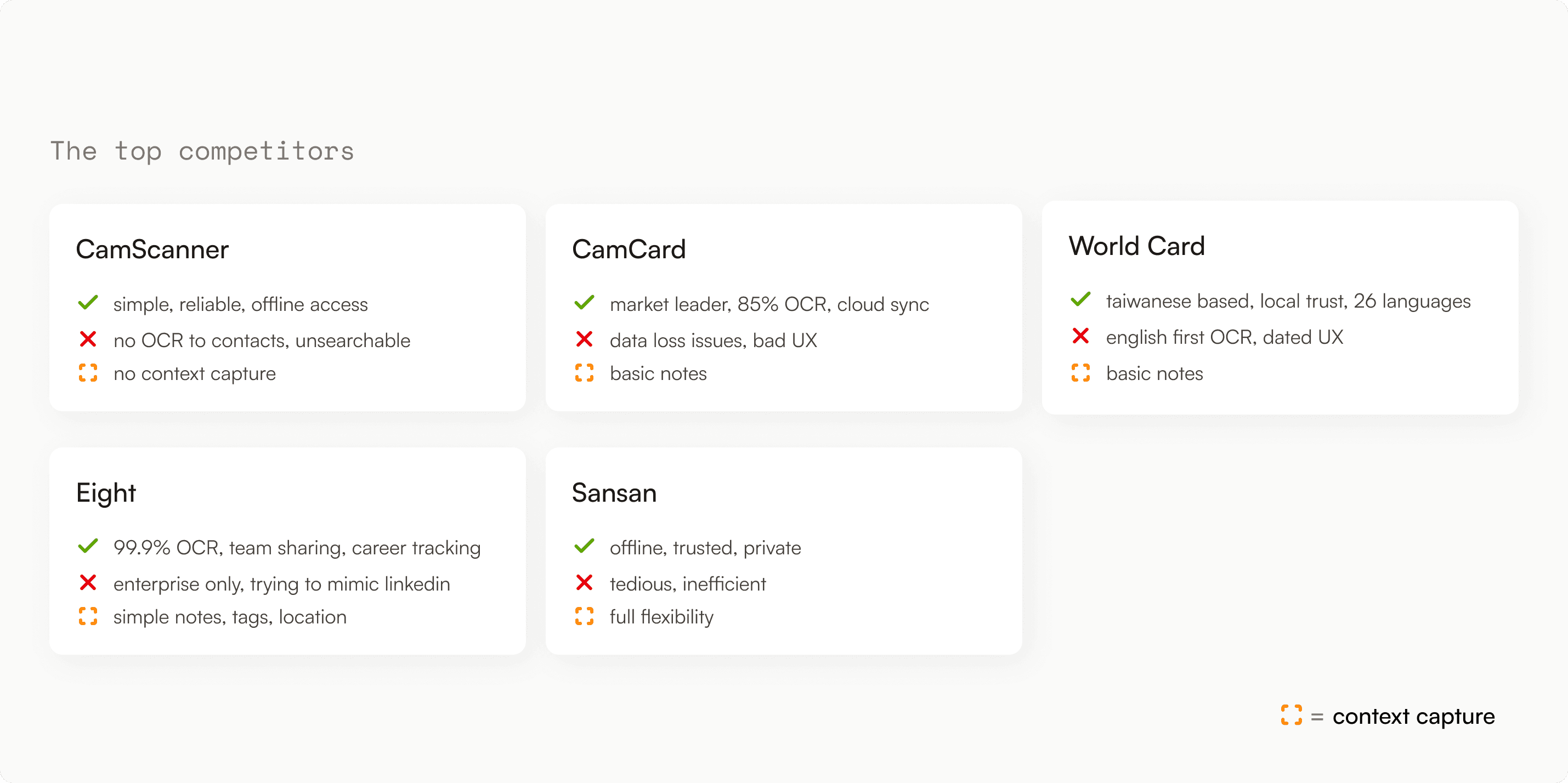
Users need more than just the information on the business cards and current solutions do not fulfil those needs.
The opportunity
Users need a tool that allows them capture, recall and act on the context behind every business card.
With that in mind, I set out to create a product that:
Minimizes user friction in context documentation
Captures and displays relationship context
Easy retrieval that can scale
Ongoing relationship management
Final solution - Trace
Trace turns business cards into a relationship, capturing not just who someone is, but how you know them, why they matter, and when to reach back out.
Collecting a business card/contact
Scan a card and capture the full story in seconds.
Voice recording
Say your notes out loud and refer back to what you said later.
Manage and retrieve contacts
Find anyone by how you know them, not just who they are.
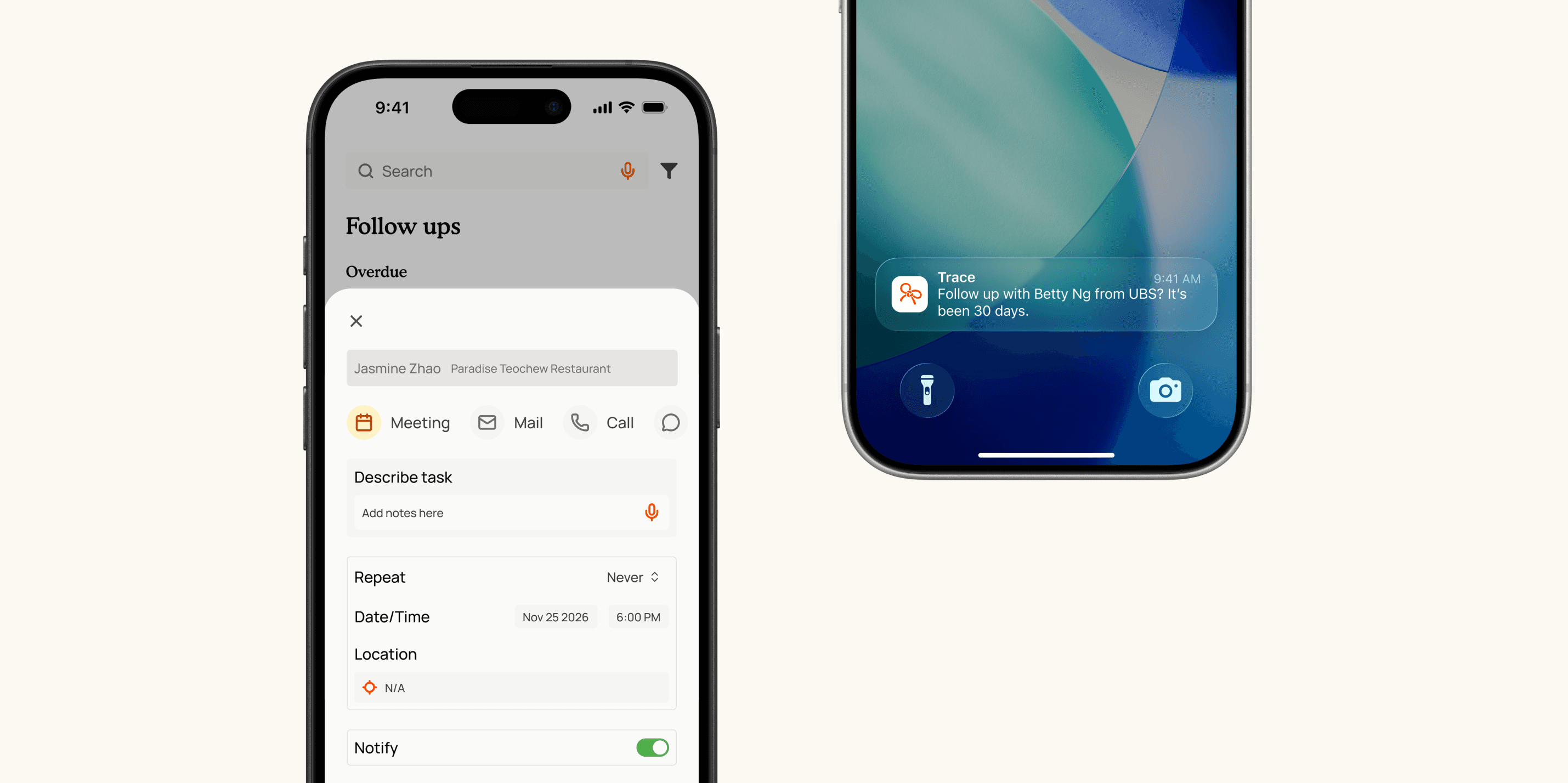
Follow ups and dormancy alerts
Get reminded when a relationship is going cold and maintain the ones you already have.
Key design decisions
The biggest risk is users skipping context entirely.
To prevent that, I first looked into how context should be captured
Primary method
Automatic Capture
Goal: Context that captures itself
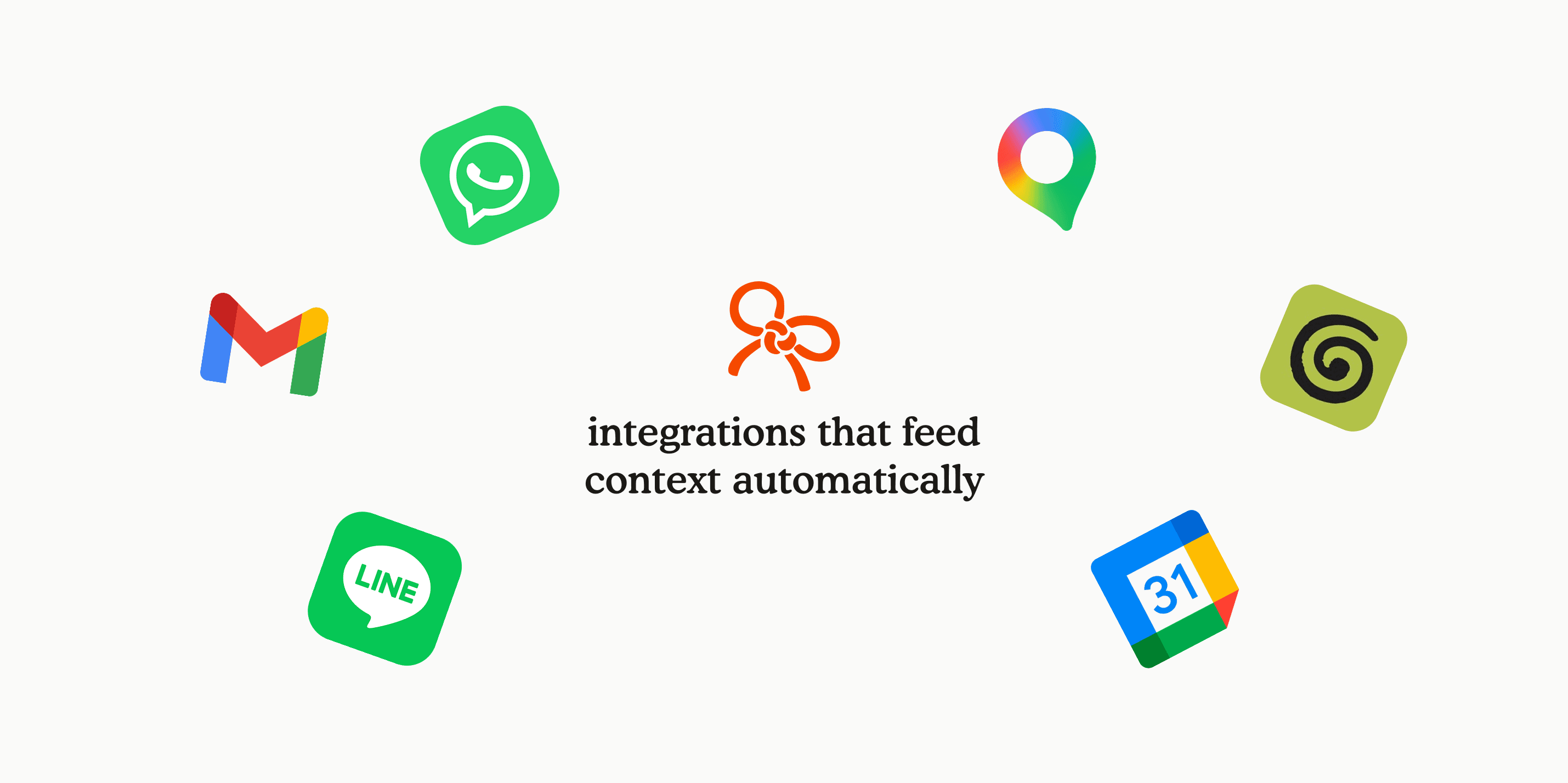
The most reliable input is the one that requires nothing from the user. By connecting to the tools users already use, users captures context passively,
Secondary method
Manual Capture
Goal: Minimize friction
When automatic capture isn't available, the goal becomes speed and efficiency. Every manual input method should be optimized to be as quick as possible.
How will automatic capture work?
Communications & Messaging
Line, Whatsapp, Calls, Messages, Gmail etc.
Meeting & Productivity Tools
Granola, Notion, Obsidian, Zoom etc.
Location and event tools
Google Maps, Calendar, Eventbrite etc.
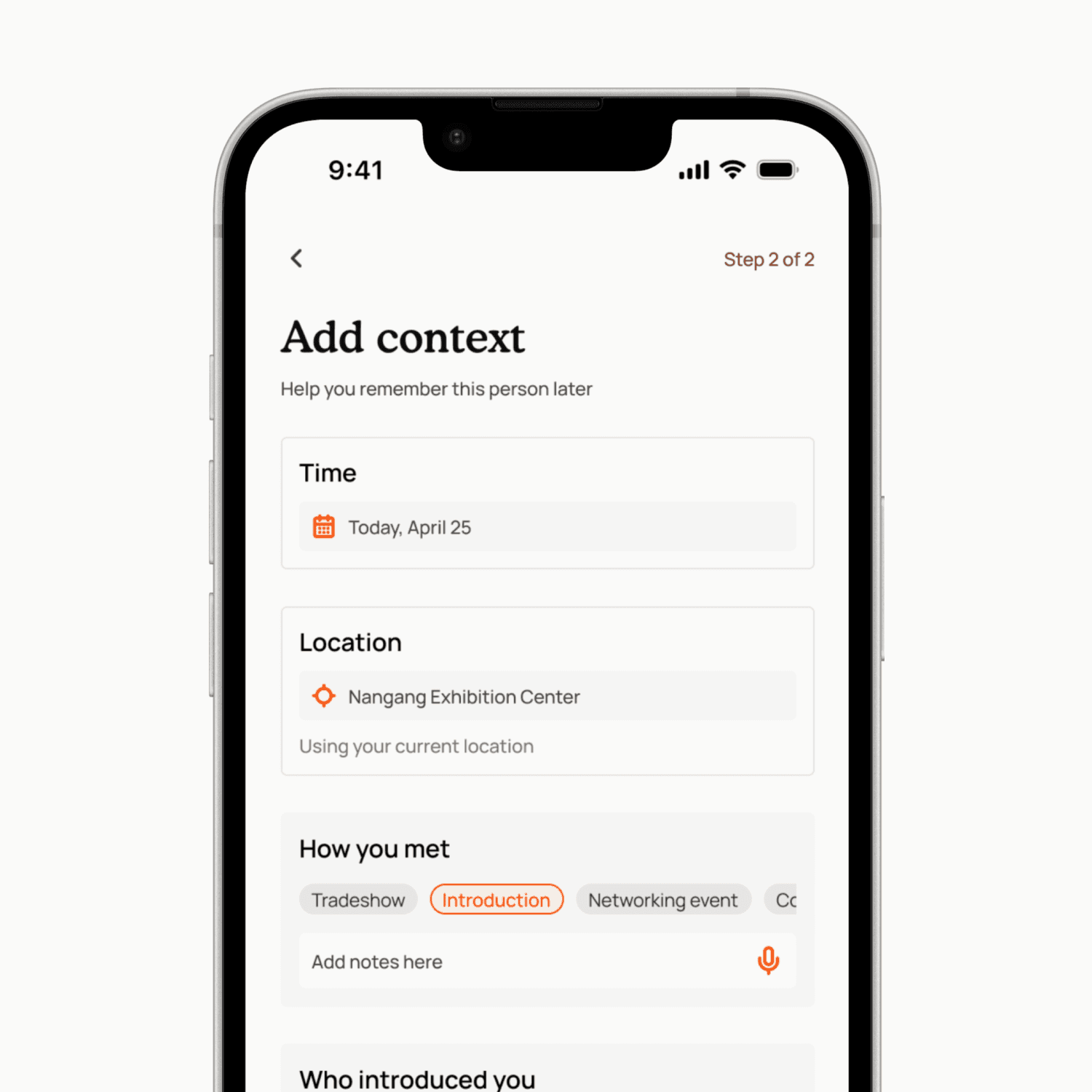
How do we minimize friction in manual capture?
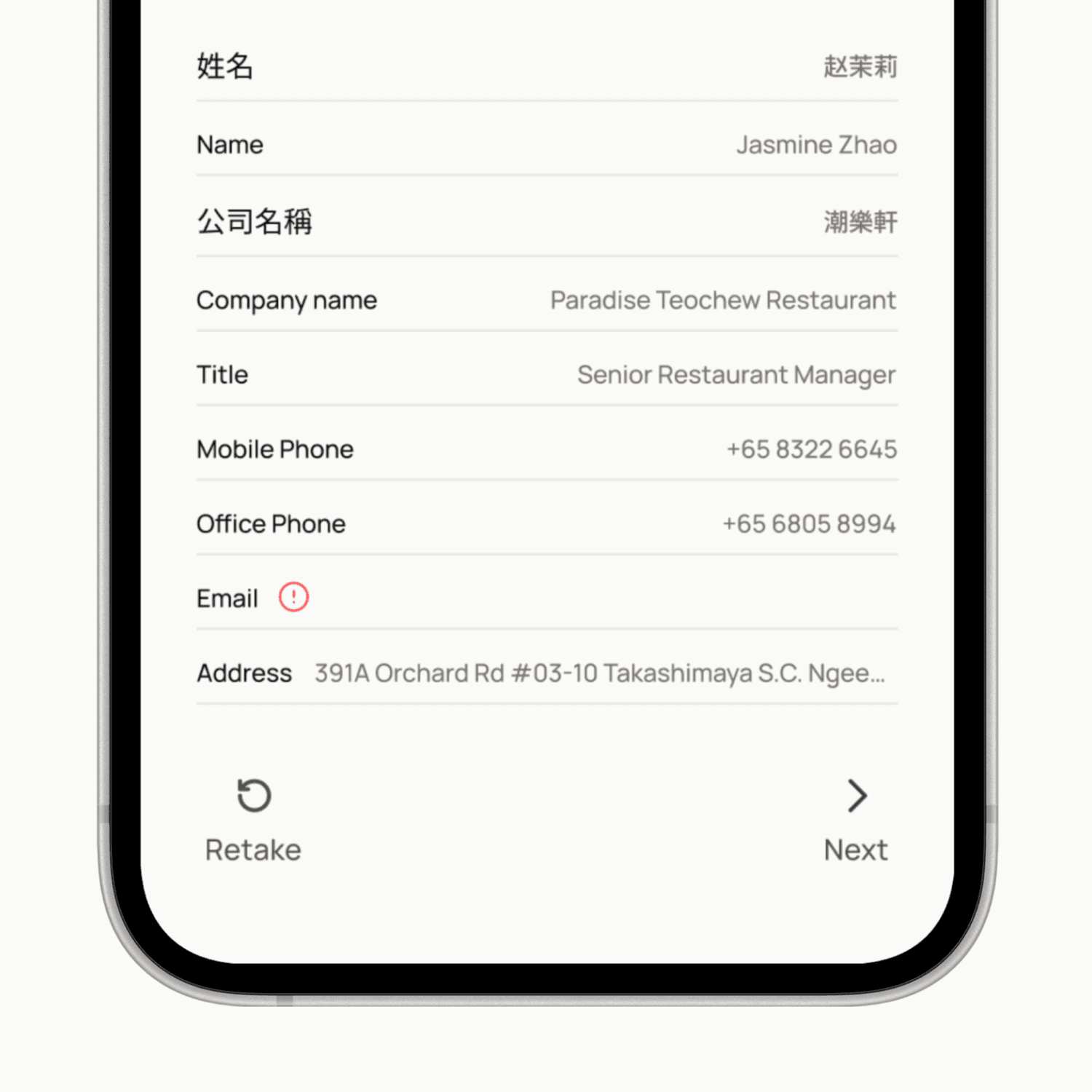
Prompts immediate context fill in
Majority of information to be captured by OCR & smart defaults
Allowing user to skip fields
Flag empty fields if present, giving gentle warnings if user skips fill in
Voice notes as a prominent feature
Faster but does require mic permissions & quiet environment
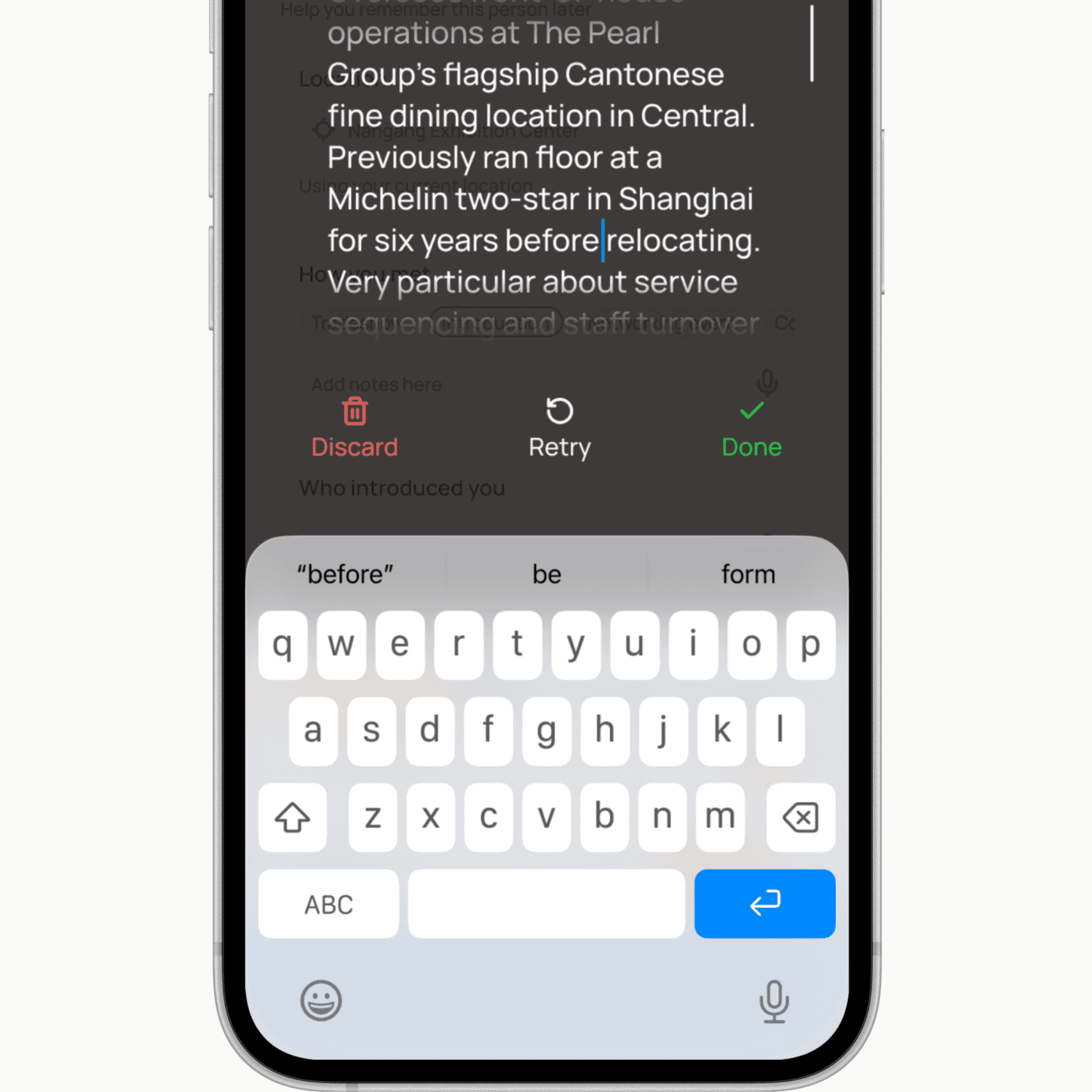
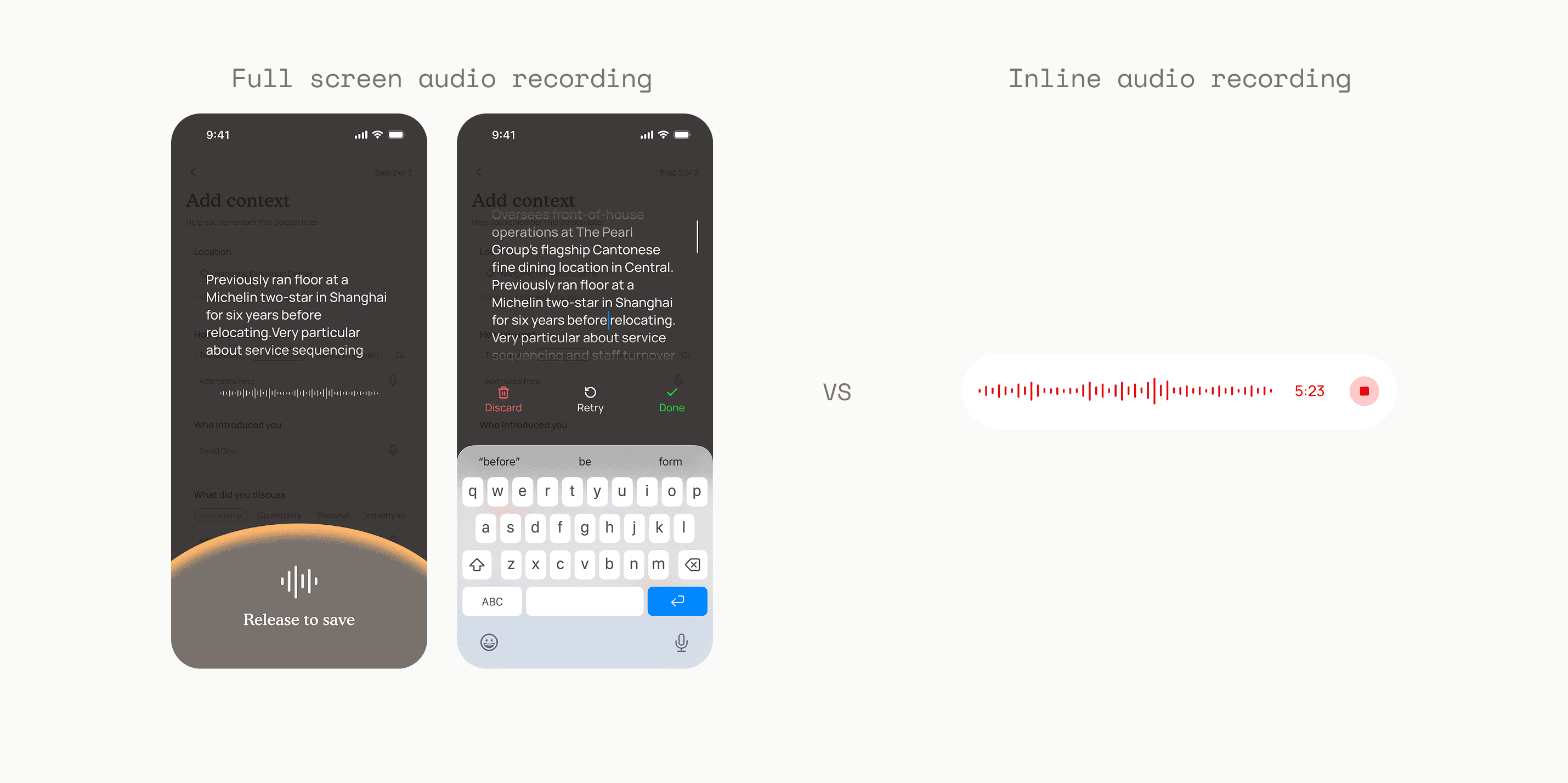
Why not inline audio recording?
A full-screen overlay with live transcription lets users follow and refine their train of thought in real time. A follow up step allows users to fix transcription errors, especially for proper nouns.
How much information does it take to remember someone?
To determine this, I began with narrowing down from all the information collected about a person. Then I landed on 4 key details. Name, company information (including position), priority and a snippet of the last contact made.

To test my hypothesis, I put my design in front of users

I learnt that
Users want to know where they stand in a relationship (via follow ups), not just who someone is. This also serves as a differentiator between active and dormant contacts.
How might we foster long term relationships?

Follow ups
Users are always prompted to follow up when updating or adding a contact. A follow up you have to schedule separately is a follow up that will not be made.
Dormancy Alerts
By default, dormancy alerts is tied to the the priority level of the relationship rather than having users manually configure it.

Next Steps
Designing for full state coverage and edge cases
→
More user feedback
see our paths converging?